Uncompensated ALSA USB Device Latency in Bitwig Studio on NixOS
In my last post on audio recording latency, I was left with a bit of a mystery. My loopback test had an uncompensated latency of 20 ms that I couldn't explain. I paused and came back to the problem with fresh ears. Since I knew I'd need to do lots more loopback testing, I set up a less comical but more practical hardware configuration.
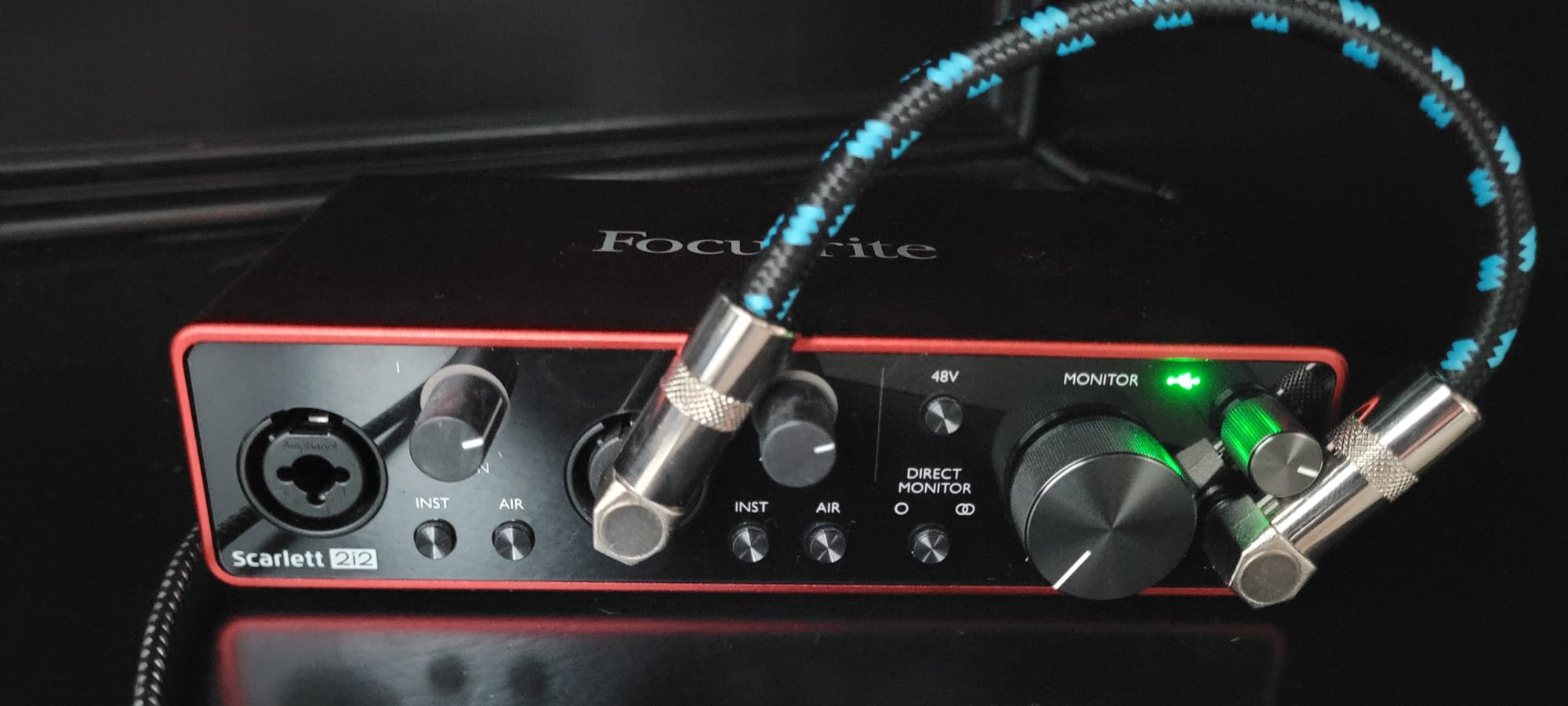
On a different Focusrite device on a different computer using the same NixOS config, I got similar results as the last time: 20 ms of uncompensated latency in Bitwig Studio with this loopback test. Crawling through the forums can be low yield and lead down false trails, but it often turns up a gem here or there. One hint was the NixOS wiki entry on PipeWire, which includes a section on ALSA Device configuration. This seemed to indicate some other buffer settings of some kind. More digging through forum conversations about ALSA eventually linked back to a place that I'd visited in the last post where I'd even submitted a merge request: the Pipewire source repository! The repo wiki has an FAQ section on buffers that explains that there is a second kind of buffer. Indeed, this whole section of the wiki answers the question perfectly and prescribes the correct strategy for accounting for this second buffer.
The issue turns out to be that the output of an audio interface - in this case, the Focusrite Scarlett 2i2 Gen 3 - has its own buffer that is configured separately at the ALSA level. This introduced an additional latency to the loop that, for whatever reason, Bitwig doesn't compensate. It is not clear to me whether this is a shortcoming of Bitwig, Pipewire, ALSA, USB audio devices, or audio devices in general. But, after a great deal of trial and error, I'm confident that the answer in the Pipewire wiki is a good, practical answer if not the best, only answer. The solution to mitigate this uncompensated latency is two-fold.
First, minimize the buffer size as we did with the buffer for Pipewire configuration. This is the nix config I ended with:
services.pipewire.wireplumber.extraConfig = {
    "low-latency" = {
      "monitor.alsa.rules" = [
        {
          matches = [{ "device.name" = "~alsa_card.usb*"; }];
          actions = {
              update-props = {
              "devicesprofile" = "pro-audio";
            };
          };
        }
        {
          matches =
          [
            { "node.name" = "~alsa_output.usb*";}
          ];
          actions = {
              update-props = {
              "api.alsa.period-size" = 64;
              "api.alsa.period-num" = 12;
              "api.alsa.headroom" = 0;
              "api.alsa.disable-batch" = false;
            };
          };
        }
      ];
    };
  };
Nix config for configuring the USB audio output
There's a great deal of detail about this configuration with specifics for USB devices in the pertinent section of the Wireplumber docs. I tried many of the configurations, but I ultimately found that if I pushed period-size or period-num any lower, I got underruns. Still, these values are sufficient to decrease my uncompensated latency to about 10-13 ms. I also switched to the "pro-audio" profile for the device so that I could have better control of the gains of the channels, but this doesn't seem to have any effect on latency.
Secondly, the Pipewire FAQ recommends that once you've optimized the configuration, compensate for the remaining latency manually.
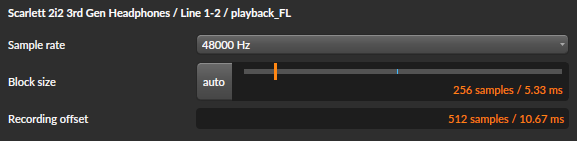
So, why go through the trouble of minimizing the latency instead of just compensating for it? Remember that this compensation is added to the final recording, but it can't be done to the monitor output. The first step - minimizing the latency in the audio output - improves the monitor latency. That isn't always necessary or useful, but those 10 ms of savings may help a lot if I'm ever trying to play live (like just playing a guitar with some effects with Bitwig Studio) or record while listening through the Bitwig monitor to hear effects instead of the unmodified direct monitor of the audio interface.
Maybe there's some optimization that I missed, but my overall latency is now under 20 ms. I think this should be more than adequate for my needs!
